A good navigation app needs to do more than find the fastest route when you’re traveling abroad. You may need offline directions, public transit information, reliable place details, or navigation in a country where some services are restricted.
So, which is better for travel: Apple Maps or Google Maps? This guide compares Apple Maps and Google Maps on common travel questions, based mainly on Apple’s and Google’s own help pages.
In this article
Apple Maps vs. Google Maps: Which Is Better for Travel?
For most international travelers, Google Maps is the more versatile choice. It works on both iPhone and Android and has a larger published database of places. However, Apple Maps has a major advantageoniPhone: its offline maps can provide turn-by-turn directions for driving, walking, cycling, and transit in supported areas. Google Maps offline navigation is limited to driving.
The best choice ultimately depends on where you’re going, what phone you use, and whether you’ll have mobile data.
Here’s the quick answer based on the features that matter most when traveling:
If you need…
Better choice
A navigation app on Android
Google Maps
Offline walking, cycling or transit directions on iPhone
Apple Maps (in supported areas)
Offline driving directions
Either app
A larger published places database
Google Maps
Navigation in mainland China
Apple Maps on iPhone, or a local app such as Amap or Baidu Maps
If you’re renting a car, both apps can provide offline driving directions after you download the relevant map area. However, live traffic, real-time rerouting, and other connected features require an internet connection.
Logo Google maps vs Apple maps
Apple Maps vs. Google Maps: Key Differences
The biggest practical difference is therefore not simply Apple versus Google. It’s how much you need your map app to do while you’re offline.
Feature
Apple Maps
Google Maps
Offline maps
iOS 17 or later, in select areas
Yes, but not in every country
Street-level imagery
Look Around, not in all countries or regions
Street View; Lens in Maps (AR walking view) only in select countries
Android app
No
Yes
Offline driving
Yes
Yes
Offline walking
Yes, in supported areas
No
Offline cycling
Yes, in supported areas
No
Offline transit
Yes, in supported areas
No
Places database
No comparable figure published
250M+ businesses and places
Mainland China
Available on iPhone
Generally inaccessible
South Korea
Available
Turn-by-turn navigation unavailable as of Aug. 2026
Which app knows more places abroad?
Google Maps has thelargerpublished places database.
Google says Google Maps contains information on 250 million businesses and places and has more than 2 billion monthly users. Apple does not publish a directly comparable global figure.
Google shared those numbers for the 20th anniversary of Google Maps in February 2025. However, a larger database doesn’t guarantee that Google Maps will be more accurate for every destination.
Pro-tip: search your destination in both apps before you travel.
Try these three searches:
Your hotel
A restaurant near your hotel
The closest train or metro station
Then, compare the opening hours, photos and address details. The app that gives you better information for your actual destination may be the better choice for that particular trip.
Street-level imagery also varies. Google’s Lens in Maps, which overlays directions on your camera view, is “only available in select countries” and needs good Street View coverage.
Can you use Apple Maps and Google Maps offline?
Yes. Both Apple Maps and Google Maps support offline maps, but their offline capabilities differ significantly. Apple Maps supports more types of navigation offline, while Google Maps is mainly limited to driving.
Which app has better offline maps?
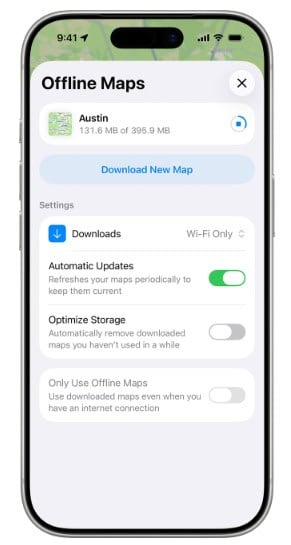
Apple Maps hasthestronger offline navigation feature set.
turn-by-turn directions for driving, walking, cycling or transit
estimated arrival times
place details such as opening hours and ratings
Apple also notes that offline maps aren’t available in every country or region.
Some practical details you should know are:
You can set downloads to happen only on Wi-Fi, which protects your mobile data.
Offline maps don’t sync across your devices, so download them on the phone you’ll travel with.
If Optimize Storage is on, your iPhone can delete unused offline maps automatically. Check they’re still there before you fly.
On Apple Watch, offline maps work only while your iPhone is on and within Bluetooth range, about 10 meters.
Offline Apple Maps to download on iPhone
2. What works offline in Google Maps
Google Maps also supports offline maps, but its offline functionality is more limited. Google Maps Help is direct: “When you’re offline, transit, bicycling, or walking directions are unavailable.”
Offline driving works, but the entire route must be inside the area you downloaded. You also won’t get traffic info or alternate routes and offline maps expire, so update them before your trip (Google tries to update them automatically on Wi-Fi when expiry is 15 days or less away).
Pro-tip: Offline maps don’t work while Google Maps is in Incognito mode. Offline Maps is on Google’s list of features unavailable in Incognito.
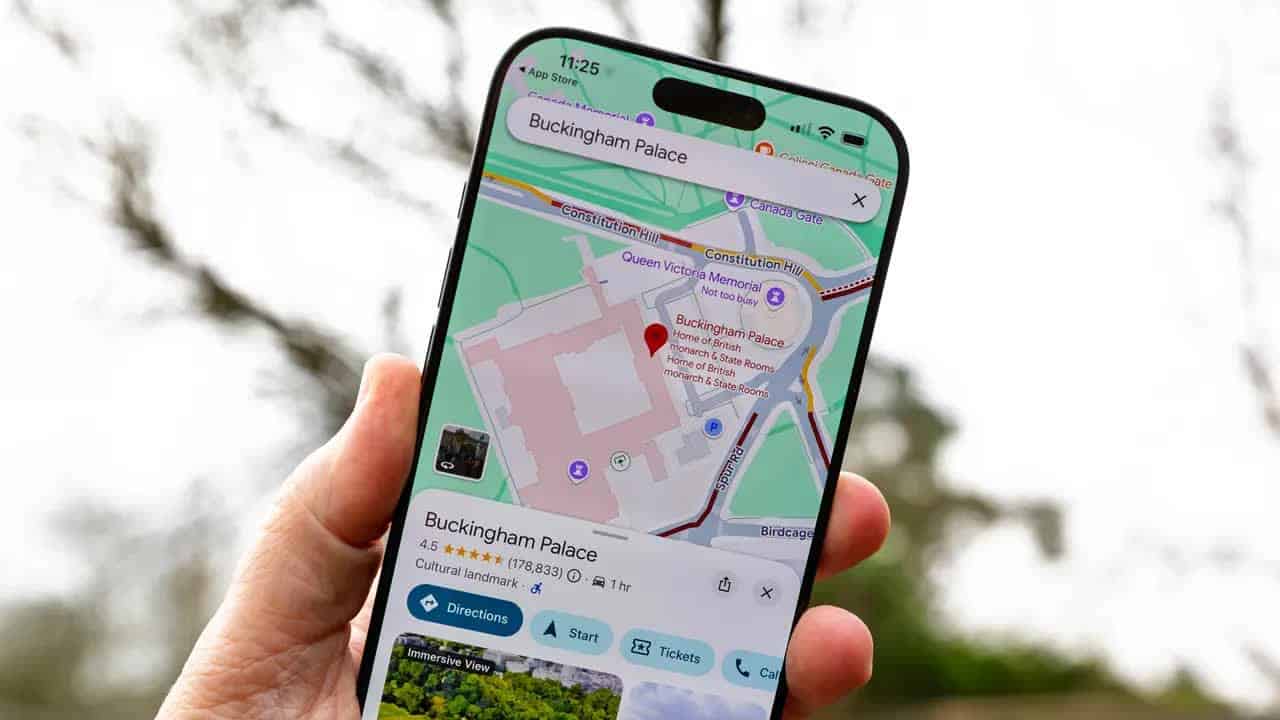
Results of location search on Google Maps
What does this mean for travelers?
If you’re renting a car and mainly need road navigation, either app can work well offline.
If you’re exploring a city on foot or relying heavily on public transportation without mobile data, Apple Maps has an advantageoniPhone.
That advantage comes with an important limitation: Apple says offline maps are available only in selected areas, so check your destination before relying on them.
Which is better for public transport in a new city?
Apple Maps has an advantage when you need public transit directions without an internet connection. Google Maps transit directions work on both iPhone and Android but need a data connection.
However, transit coverage varies by destination.
Before your trip, search for your hotel and try to get directions from the nearest airport, train station, or metro station. If one app doesn’t show the routes you need, check the local transit app as well. For some destinations, a local navigation app may be more useful than either Apple Maps or Google Maps.
Which App Is Better for Different Types of Travelers?
There isn’t one universal winner.
1. If you use an iPhone
Set up both Apple Maps and Google Maps.
Apple Maps gives you stronger offline navigation options, while Google Maps can be useful for its broader place information and cross-platform ecosystem.
2. If you use Android
Google Maps is the obvious primary choice.
Apple Maps doesn’t have a native Android app, so Google Maps is the practical option for your main navigation app.
3. If you travel without reliable mobile data
Apple Maps has an advantageoniPhone, provided offline maps are supported in your destination.
Download your map before leaving Wi-Fi and test it before your trip.
4. If you’re traveling to mainland China
Don’t rely on Google Maps. Install Apple Maps on iPhone or a local app such as Amap or Baidu Maps before departure.
5. If you’re traveling to South Korea
Use a local navigation app such as Naver Map or KakaoMap for turn-by-turn navigation.
Google Maps is available for places, reviews, and public transit, but full turn-by-turn navigation was still unavailable as of August 2026. Google has said it plans to bring full functionality to Korea.
Why is Google Maps limited in South Korea?
Google Maps has been limited in South Korea because the government restricted exporting high-precision map data.
For now, Google Maps in Korea works for finding places and public transit directions. Google said in a statement that it plans to bring “full-functioning Google Maps capabilities to Korea,” but gave no date. Until then, many travelers in Korea use Naver Map or KakaoMap for walking and driving directions.
If you’ll need real-time directions, transit updates, or ride-hailing while traveling in Korea, make sure you have a working mobile data connection. Check Gigago Korea eSIM if you need mobile data in Korea.
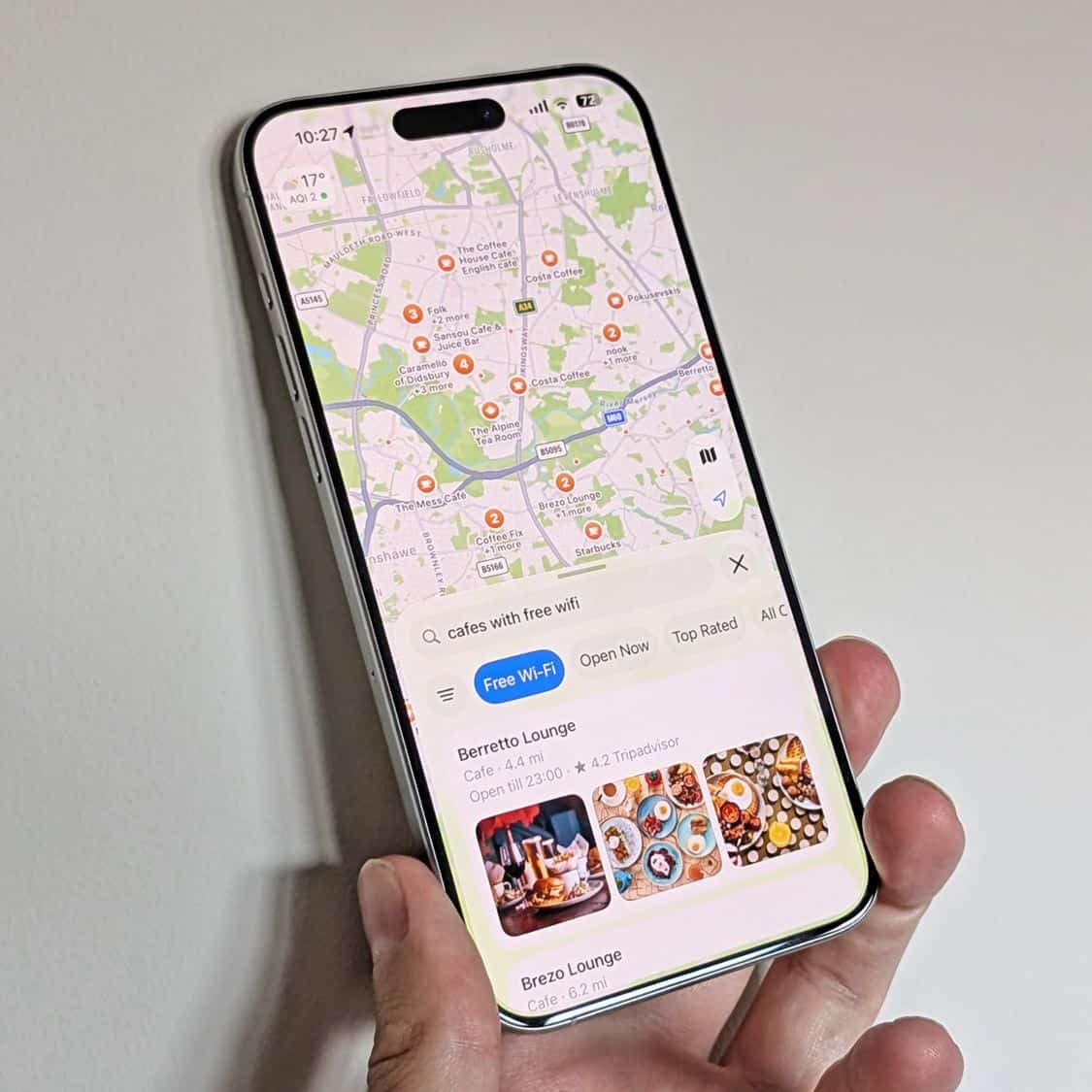
Google maps version iOS 26
Do Apple Maps and Google Maps work in China?
Google Maps is generally not usable in mainland China because Google services are blocked there. Apple Maps is available in mainland China, where Apple says it uses mapping services from Amap. For more detail, see Does Google Maps work in China?
If you’re traveling to mainland China, prepare your navigation apps before you leave:
Install Amap or Baidu Maps.
Set up the apps while you still have a reliable internet connection.
Save your hotel and important destinations.
Make sure you have mobile data when you arrive.
Don’t assume that the same restrictions apply to Hong Kong or Macau. Mainland China, Hong Kong, and Macau have different service environments.
Do you still need mobile data if you download offline maps?
Yes, for most trips. Offline maps are useful for basic navigation, but they can’t replace a live internet connection for everything you may need while traveling.
Without a data connection, you may lose access to:
live traffic information
real-time rerouting
ride-hailing bookings
same-day changes to business hours
live location sharing
transit directions in Google Maps
other real-time travel information
This is why downloading offline maps and having mobile data are best treated as two layers of travel preparation, rather than alternatives. If you’re looking for a way to get mobile data while traveling, a Gigago travel eSIM gives you mobile data abroad without buying a local SIM or replacing your home SIM. First, check that your phone supports eSIM, then browse Gigago eSIM Plans.
How to Prepare Your Navigation Apps Before You Travel
Use this checklist before departure:
Download offline areas on Wi-Fi for every place you’ll visit. Some countries can’t be downloaded in Google Maps, and Apple offline maps cover select areas only.
Make sure Google Maps Incognito mode is off. Offline maps are unavailable while it’s on.
Save your hotel and the airport in the map app(s) you’ll use.
Test Apple Maps at your destination. Try transit directions to your hotel before you go, since support varies by region.
Going to mainland China or South Korea? Install a local map app (Amap or Baidu Maps; Naver Map or KakaoMap) before you leave.
Check your phone supports eSIM and install your eSIM Plan while you have a stable internet connection, ideally the day before you leave or on departure day.
How do Apple Maps and Google Maps handle your privacy?
Privacy can also influence which navigation app you prefer.
Apple says Maps usage is associated with a rotating identifier rather than your Apple Account, and that precise location information is made less exact within 24 hours.
Google Maps has different privacy controls. Google says Timeline is off by default, although location information can still be saved through other Google Account activity settings.
Google Maps also offers Incognito mode, which prevents searches from being saved to your Google Account on that device. However, Incognito mode also disables offline maps.
If privacy is your major consideration, review the current privacy settings in both apps before your trip rather than relying on default assumptions.
Frequently Asked Questions
Can I use Apple Maps on an Android phone?
There is no native Apple Maps app for Android. Apple Maps is primarily available within Apple’s device ecosystem, while Google Maps has apps for both Android and iPhone.
Which is better for international travel: Apple Maps or Google Maps?
For most international trips, Google Maps is the more versatile option because it works on both major mobile platforms and has a large database of places. Apple Maps can be better for offline navigation on iPhone.
Which is better for offline navigation?
Apple Maps has the broader offline navigation capabilityoniPhone. It can provide offline driving, walking, cycling, and transit directions in supported areas. Google Maps offline navigation is limited to driving.
Does Google Maps use less data than Apple Maps?
Neither Google nor Apple publishes directly comparable data-use figures. Actual data consumption depends more on how you use the app, such as browsing photos, using satellite imagery, checking live traffic, or downloading maps. Downloading maps over Wi-Fi before your trip can reduce mobile data usage.
Can I download Google Maps offline for any country?
No. Google says offline maps aren’t available for download in some countries and regions because of factors such as contractual limitations, language support, and address formats. Check your destination before relying on Google Maps offline.
Do I need to sign in to use Apple Maps?
No. You can use Apple Maps without signing in to your Apple Account. Some features, such as submitting photos or certain reports, may be associated with your Apple Account.
Do I need mobile data if I use offline maps?
Not for basic offline navigation within the downloaded area, but yes for many live travel features, including real-time traffic, ride-hailing, and live updates. For international travel, using offline maps as a backup while keeping a travel eSIM for live features gives you the most flexibility.
eSIM validity is the period during which your data plan remains usable. Depending on the plan, the countdown starts when you install the eSIM by scanning its QR code or when it first connects to a supported network at your destination. Your plan expires when its validity period ends or if you use up the […]
Most travelers want mobile data the moment they land, without uploading a passport or queuing to register a SIM at the airport. The good news is that many data-only travel eSIMs can be purchased online without ID verification. However, some plans, especially those with a local phone number, may require identity verification before you can […]
A travel eSIM can stop working on your iPhone because the line was turned off, your data is running through another SIM, or the eSIM was deleted. If the eSIM still appears in Settings > Cellular, you can usually get back online by turning the line on, selecting it for cellular data and checking Data […]
Buying too little data for 15 days in Japan means running out mid-trip, while buying too much wastes money. A typical traveler who uses maps, messaging and social media daily can expect to use around 1GB a day, so a 20GB plan covers roughly 15GB of use with a buffer. Light users can usually manage […]
Before traveling to mainland China, download and set up the apps you’ll need for payments, messaging, maps, transportation and translation. Many familiar services, including Google services, WhatsApp and Instagram, are blocked on standard mainland Chinese networks, so it’s important to prepare alternatives before you arrive. Start with Alipay or WeChat Pay for payments, WeChat for […]
One of the most common questions travelers have before using an eSIM is “Does time zone affect your travel eSIM’s validity period?” whether changing time zones will shorten their data plan. If you buy a 7-day eSIM, fly across multiple countries, or cross the International Date Line, it’s natural to wonder whether changing time zone […]