The 2026 FIFA World Cup runs from June 11 to July 19 — and it’s the most logistically complex tournament in football history. 48 teams. 104 matches. 16 cities. 3 countries. 39 days. If you’re flying in from overseas, this isn’t a weekend trip. It’s a multi-country expedition that punishes poor planning and rewards fans who sort the details early.
This World Cup 2026 travel guide covers everything you actually need: which cities are hosting what, how to get between them, visa requirements (the part most fans ignore until it’s too late), what it costs, and how to keep your phone working across three countries without getting ripped off.
In this article
I. Where is FIFA World Cup 2026 Being Held?
The 2026 World Cup is concurrently hosted by 3 North American countries, including the USA, Canada, and Mexico – more host venues than any World Cup in history. The event will be held in 16 cities across the countries.
Here’s the full picture so you can plan around your team’s route.
1. United States — 11 cities, 78 matches
City
Stadium
Matches
Highlight
New York / New Jersey
MetLife Stadium
8
World Cup Final (July 19), Semifinal
Los Angeles
SoFi Stadium
8
Semifinal
Dallas
AT&T Stadium
9
Most matches of any city
Atlanta
Mercedes-Benz Stadium
9
Quarterfinal
Miami
Hard Rock Stadium
7
Knockout rounds
Boston
Gillette Stadium
7
Quarterfinal (July 9)
San Francisco
Levi’s Stadium
6
Knockout rounds
Seattle
Lumen Field
6
Knockout rounds
Houston
NRG Stadium
5
Group + Knockout
Kansas City
Arrowhead Stadium
4
Group stage
Philadelphia
Lincoln Financial Field
4
Group stage
2. Mexico — 3 cities, 13 matches
City
Stadium
Highlight
Mexico City
Estadio Azteca
Opening match (June 11)
Guadalajara
Estadio Akron
High demand — group stage tickets selling fast
Monterrey
Estadio BBVA
Budget-friendly base, modern stadium
3. Canada — 2 cities, 13 matches
City
Stadium
Highlight
Toronto
BMO Field
Round of 32
Vancouver
BC Place
Round of 32 — most expensive city in the tournament
💡Pro tip: If you want to maximize matches per dollar, Dallas (9 matches) and Atlanta (9 matches) are your best bases. You will face fewer internal flights, get more games, and pay significantly lower accommodation costs than in New York or Vancouver.
II. How Do I Travel Between Host Cities Legally and Cheaply?
Not all international fans realize that how huge the United States is. A lot of them assume they can drive between host cities, or that distances are manageable – until they look it up. New York to Miami is a 20-hour drive. New York to Los Angeles is a 6-hour flight. Unlike Europe where you can hop between countries in 1–2 hours, travelling across the US operates on a completely different scale.
1. Domestic Flights – Main Option for Most Routes
Flying is how most fans move between cities, and it’s the only realistic option for anything beyond the Northeast Corridor. You should book the moment your match schedule is confirm because prices are rising 40-60% as the tournament progresses.
Route
Flight Time
Rough Cost
New York – Miami
~3 hrs
$100–$250
Dallas – Houston
~1 hr
$60–$120
Los Angeles – San Francisco
~1.5 hrs
$80–$180
New York – Los Angeles
~6 hrs
$150–$400
Any US city – Toronto/Vancouver
3–5 hrs
$200–$600+
Dallas/Houston – Mexico City
~2.5 hrs
$80–$200
2. Train — Best for the Northeast Corridor
If your matches are in New York, Philadelphia, and Boston, skip the airport entirely. The Amtrak is faster door-to-door, cheaper, and drops you in the city center — not 45 minutes outside it:
NYC to Philadelphia: Amtrak, 90 mins, $30–74 each way
Philadelphia to Boston: Amtrak, 3–4 hrs, from $163 — book early
Seattle to Vancouver: Amtrak Cascades, $27–70 — the smoothest cross-border move in the tournament, scenic route, no rental car needed.
3. Getting Around Within Each City
Here’s the part most fans only figure out after they land: not every host city works the same way, and some are genuinely difficult to navigate without a car.
Cities where public transit works:
New York and Boston have efficient subway systems that go directly to the stadiums. Use them — they’re faster than Uber on match days.
Seattle is one of the few car-dependent American cities where transit to Lumen Field actually holds up. Link Light Rail gets you there without surge pricing drama.
Cities where you need a car or rideshare:
Dallas, Houston, Atlanta are heavily car-dependent. Houston is the most extreme — NRG Stadium sits 30 miles from the airport, and public transit won’t get you there. Book a rental car in advance or budget for expensive rideshares.
Miami has Uber, but surge pricing near Hard Rock Stadium on match days is brutal. Factor it in.
Mexico City is the exception — the metro is cheap, extensive, and genuinely the right call. Don’t drive here.
💡Pro tip: Avoid rideshare within 2 hours of kickoff near any stadium. Surge pricing has been reported at $200–300 per ride on match days. Arrive early, take transit where possible, and budget $80–150 per person per city for local ground transport as a baseline.
amtrak is a vehicle option for fans during tournament in World Cup 2026
III. Using your phone and staying connected during World Cup
Travelling to this World Cup means you need more mobile data than you plan ahead. You will use it to order Ubers between cities, navigate unfamiliar metro systems, coordinate with your group in crowded stadiums, and check train times at 11pm in a strange city.
Moreover, your FIFA match ticket is 100% digital. This matters more than most fans realize until they’re standing outside a stadium unable to load their digital ticket. No data means no entry. Sort this before you fly.
1. Will your phone work in United States, Canada, and Mexico?
Yes, your home carrier’s roaming works – but it’s expensive and often unpredictable across the different countries. Let’s to be honest – the cost of traveling for World Cup is expensive enough so you don’t want to coming home with an unexpected phone bill. You can buy a local SIM in each country to avoid roaming fees, but it also means three airport kiosk queues after a long flights, limited and overprice plan options, ID checks, manual setups, and your phone number changes every time — breaking your group chats and hotel confirmation threads in one go.
The easiest and most affordable solution is a travel eSIM that covers the USA, Canada, and Mexico under one plan. A travel eSIM is a digital SIM card built into your phone — no physical card, no swapping, no kiosk. Install it at home before you fly, and it connects automatically the moment you land — no settings to change, no SIM to swap, no queue at arrivals.
Don’t rely on it. With 80,000+ fans simultaneously uploading videos and scanning tickets, stadium networks congest fast — even at well-equipped US venues. Verizon (official telecom partner for World Cup 2026) has upgraded 5G capacity at US host stadiums by an estimated 3–5x, but your own mobile data on a local connection will still outperform shared stadium WiFi when it matters most: kickoff, goals, full time.
VI. How Much Data Do You Need Per Day for World Cup?
Usage
Daily data estimate
Navigation + messaging + social media
1–2 GB
Uploading photos and short videos
+0.5–1 GB
Streaming match highlights
+1–2 GB
HD live streaming (1 full match)
~3 GB/hour
For a typical fan using maps, Uber, messaging, and posting to social media, 3–5 GB/day is a realistic number. If you’re streaming live coverage, plan for more.
V. What Apps Do I Need to Download Before I Go?
Don’t be like this: standing stressed at airport arrivals trying to download local transit apps on slow roaming networks. Instead, set up these accounts, link your payment cards, and test them completely while you are still at home.
FIFA Official App: your match tickets and Fan ID live here; set up and sync well before match day, not at the turnstile; also has fan zone info and live schedules
Google Maps: download offline maps for every city you’re visiting; stadium areas can slow down even on good data when crowds are dense
Uber: add your payment method before travel; Lyft works in the US and Canada only, Uber works across all three host countries including Mexico
Google Translate: download the Spanish offline pack if you’re attending matches in Mexico; the camera translation feature handles menus and signs well
WhatsApp: works internationally over data; skip SMS roaming charges entirely
XE Currency: live exchange rates for USD, CAD, and MXN; works offline once loaded; you’ll reach for it more than you expect
FIFA World Cup Official App
VI. What to do in the World Cup host cities beyond the matches
Most host cities are major tourist destinations, and with days between matches, you’ll have time to actually explore.
1. New York / New Jersey
MetLife in New York hosts 8 matches including the Final, so many fans will be here for weeks. There are plenty of things to do in New York, such as:
Walk the Brooklyn Bridge and explore the food scene on the other side/
Catch a Broadway show — book ahead, prices spike during the tournament/
Take the ferry to see the Statue of Liberty without the long queue
2. Los Angeles
The SoFi Stadium is home to 8 matches. LA is best explored with a car, and the coastline makes every detour worth it. Many things to do here are:
Spend a morning at Santa Monica Beach, then walk the pier
Drive the Pacific Coast Highway north toward Malibu
Explore the arts and food scene in Silver Lake or Culver City
3. Dallas
Dallas is hosting the most matches of any city (9 total). It is bigger and more interesting than most international fans expect.
Explore Deep Ellum for live music, street art, and some of the best food in Texas
Day-trip to Fort Worth’s Stockyards for a completely different side of the state
Houston is only 3.5 hours away — easy to combine if you have matches in both
4. Miami
The city runs 7 matches of the event. It has a rhythm that kicks in after dark – plan your evening accordingly:
Spend a morning on South Beach, then head to Wynwood for street art and coffee
Explore Little Havana for Cuban food, live music, and a completely different atmosphere
Watch a match at a rooftop bar in Brickell — the views and the energy are worth it
5. Boston
Boston is hosting 7 matches at Gillete Stadium. It is about 1 hour by train from a very walkable city center. One of the easiest host cities to navigate without a car.
Walk the Freedom Trail — 2.5 miles through 400 years of American history
Eat in the North End: the best Italian food in New England, packed into a few small streets
Day-trip to Salem if you have a free morning — 30 minutes by commuter rail
6. Mexico city
Mexico is home to the opening match and one of the great cities in the Americas. Give it more than one day if you can.
Visit the Teotihuacan pyramids — 50km outside the city, worth the early start
Walk the historic centro and Zócalo plaza, then eat your way through the street food stalls
Spend an afternoon in Coyoacán — the neighborhood where Frida Kahlo lived, now full of markets and cafés
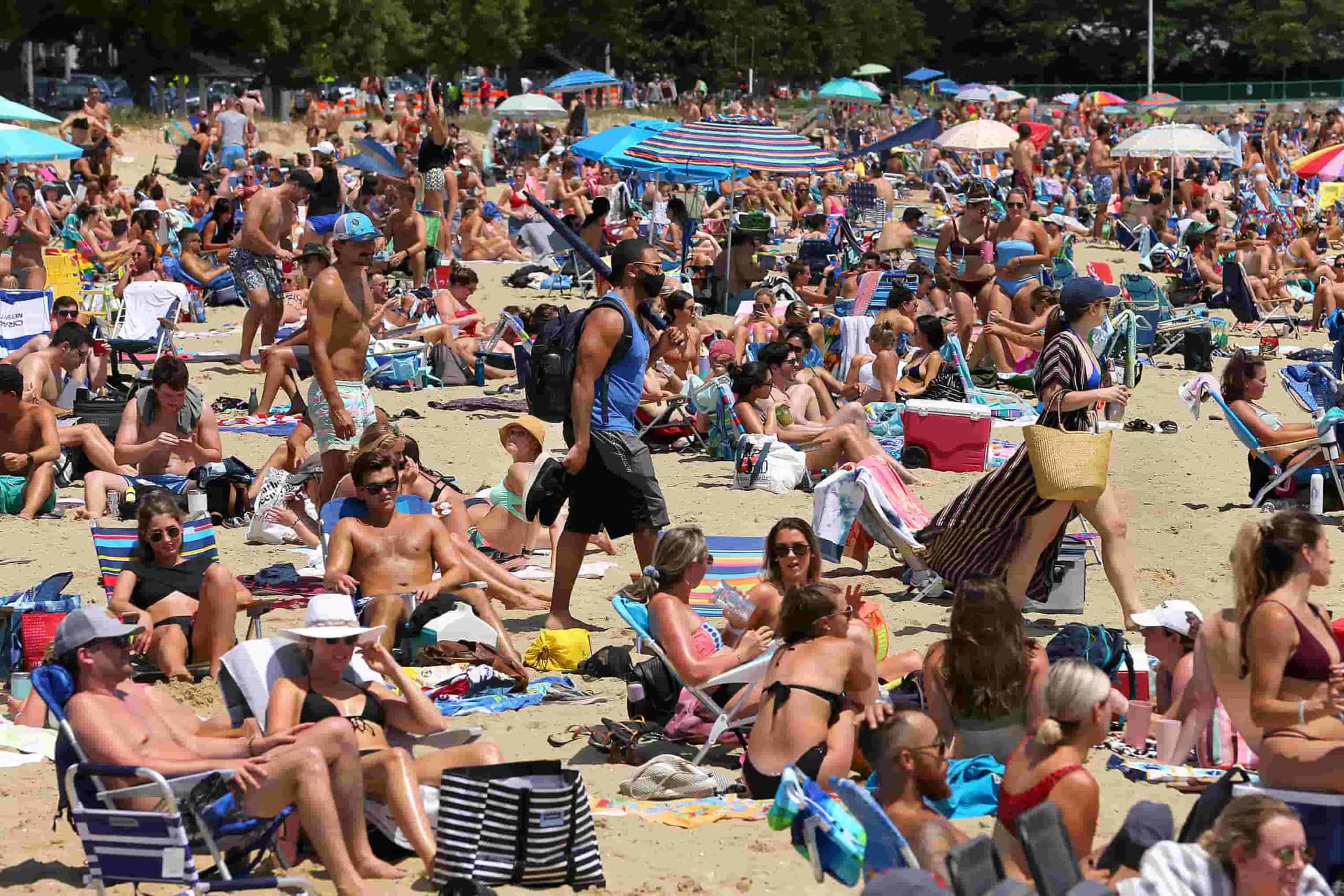
A morning at the beach in Boston as one of exciting activities beyond matches during World Cup
VII. The Ultimate Pre-Departure Checklist
To make sure you don’t miss a single match due to a silly documentation mistake, run through this before you leave. These are the things that are either impossible or very expensive to fix once you’re already there. Check these off one by one before you head to the departure gate.
Visa / ESTA / eTA confirmed for every country you’re entering
Flights booked (international + internal connections)
Accommodation confirmed — flexible/refundable rates where possible
Cash in USD / CAD / MXN for smaller vendors and tipping
VIII. Why International World Cup Fans are choosing Gigago
For an event this fast-moving — digital tickets, last-minute Ubers, stadium navigation, group chats firing every 5 minutes — a patchy connection doesn’t just frustrate you. It costs you time you don’t have.
A Gigago World Cup eSIM installs on your phone before you fly, connects automatically when you land, and keeps you online across every host city without roaming fees or SIM swaps. The product offers two options depending how you are traveling: USA only and combo USA + Canada + Mexico. Data plans that match how fans actually use their phones – from 1GB to unlimited data, with validity up to 30 days. There’s a plan sized for your trip. No overpaying for data you won’t use.
→ Check out Gigago eSIM store if you are moving between multiple countries during the tournament.
eSIM validity is the period during which your data plan remains usable. Depending on the plan, the countdown starts when you install the eSIM by scanning its QR code or when it first connects to a supported network at your destination. Your plan expires when its validity period ends or if you use up the […]
Most travelers want mobile data the moment they land, without uploading a passport or queuing to register a SIM at the airport. The good news is that many data-only travel eSIMs can be purchased online without ID verification. However, some plans, especially those with a local phone number, may require identity verification before you can […]
A travel eSIM can stop working on your iPhone because the line was turned off, your data is running through another SIM, or the eSIM was deleted. If the eSIM still appears in Settings > Cellular, you can usually get back online by turning the line on, selecting it for cellular data and checking Data […]
Buying too little data for 15 days in Japan means running out mid-trip, while buying too much wastes money. A typical traveler who uses maps, messaging and social media daily can expect to use around 1GB a day, so a 20GB plan covers roughly 15GB of use with a buffer. Light users can usually manage […]
Before traveling to mainland China, download and set up the apps you’ll need for payments, messaging, maps, transportation and translation. Many familiar services, including Google services, WhatsApp and Instagram, are blocked on standard mainland Chinese networks, so it’s important to prepare alternatives before you arrive. Start with Alipay or WeChat Pay for payments, WeChat for […]
A good navigation app needs to do more than find the fastest route when you’re traveling abroad. You may need offline directions, public transit information, reliable place details, or navigation in a country where some services are restricted. So, which is better for travel: Apple Maps or Google Maps? This guide compares Apple Maps and […]