




Receive the eSIM via email, scan QR code to install, connect instantly upon arrival.
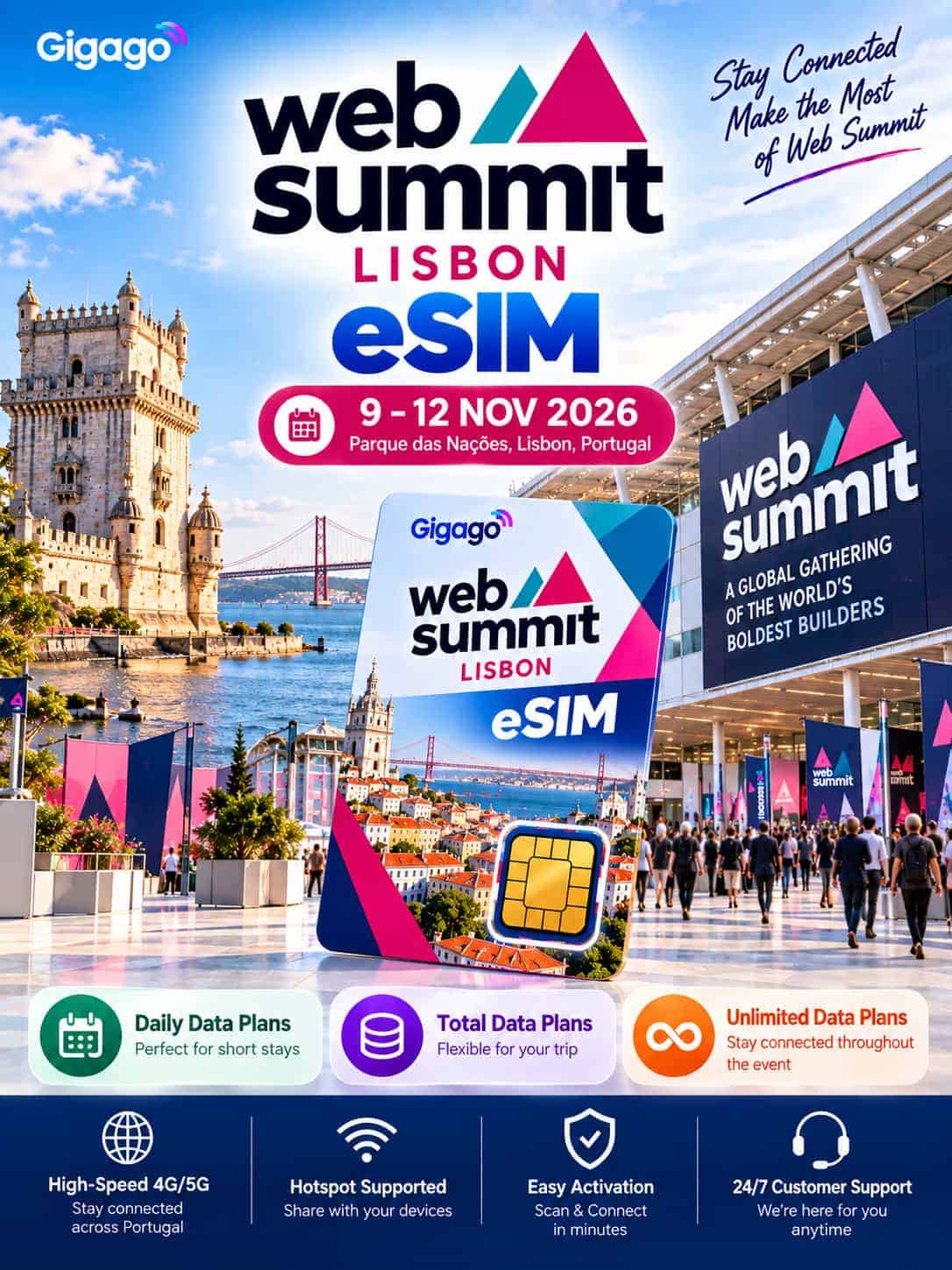
Web Summit Lisbon eSIM – Portugal Internet
- Data: 3 plan types – Daily plans, Total plans, and Unlimited*
- eSIM phone number: Yes, varies by plan
- Hotspot/ Tethering: Yes
- Coverage: Portugal (Lisbon and beyond)
- Operators: Optimus, TMN/MEOl, Vodafone, Orange
- Top-up option: Not available
- *Unlimited: 1GB/day high-speed data, unlimited at 5mbps for the rest of the day
Price range: $ 2.0 through $ 99.5
Product Description
Web Summit transforms Lisbon into one of Europe's busiest tech hubs, with conference sessions, investor meetings, and Night Summit events happening across the city. The Gigago Web Summit Lisbon eSIM is a Portugal travel eSIM designed for Web Summit attendees. After landing, you can use its mobile data to catch the Metro to Oriente, find your hotel, receive meeting updates, and stay connected as you move between conference sessions and network events across the city.
Simply scan the QR code, activate your eSIM, and get online without buying a physical SIM card at Lisbon Airport.
Who Should Use Web Summit Lisbon eSIM?
- Startup founders
- Investors
- Developers
- Media teams
- Conference attendees staying 4–10 days
Key Features
- QR code delivery within 5–10 minutes after purchase.
- Keep your home SIM active for SMS and bank verification codes.
- Hotspot support for your laptop.
- No SIM removal.
Two Things to Check Before You Buy
- Your phone supports eSIM. Use the Check compatibility tool above to verify.
- Your phone is carrier-unlocked.
Important Information Before You Travel
- Your Validity starts when you install the eSIM, not when you purchase it.
- Install the QR code within 30 days of receiving it.
- Activate it one day before your flight or when you arrive in Lisbon.
- Each QR code can only be scanned once.
- Add one extra day to your planned stay when choosing Validity.
- No passport or identity verification is required.
- Turn on data roaming for the Gigago eSIM while in Portugal.
Why You'll Need Mobile Data During Web Summit
Web Summit provides free venue Wi-Fi, but it's designed for everyday browsing and messaging, and it can slow down during peak hours.
Your own mobile data keeps you connected when you're checking the Web Summit app for schedule updates, exchanging LinkedIn QR codes, uploading presentations, navigating between MEO Arena and Night Summit venues, or booking a Bolt back to your hotel.
When Is Web Summit 2026?
Web Summit 2026 takes place from 9–12 November 2026 at MEO Arena, Lisbon.
- 9 November: Opening Night
- 10–12 November: Conference Days
- 9–12 November: Night Summit events across Lisbon
The best time to buy your Portugal eSIM is 3–4 weeks before your trip, then install it one day before departure or when you arrive.
Which eSIM Plan Should You Choose for Web Summit?
Most Web Summit visitors stay 5–7 days, making the 7-day plan the easiest fit for a typical conference trip.
| Your Trip | Recommended Validity | Suggested Data |
|---|---|---|
| 1–2 conference days | 3 days | 1GB/day or 3–5GB total |
| Short trip | 5 days | 1GB/day or 5GB total |
| Full Web Summit | 7 days | 2GB/day or 10GB total |
| Conference + Lisbon sightseeing | 10 days | 10–20GB total |
| Longer Portugal stay | 15–30 days | 20–50GB total |
Choose Daily, Total Data or Unlimited?
- Daily plans give you a fixed amount each day.
- Total-data plans let you use your data more flexibly throughout your trip.
- Unlimited includes 1GB/day at high speed, then speeds up to 5Mbps for the rest of the day
For Web Summit, a total-data plan is often the better fit if you’ll use hotspot, upload presentations, or have heavier conference days.
Need Calls or SMS?
Most plans are data-only. If you need calling, choose one of the 30-day plans with a French (+33) number:
- 20GB: 30 min international calls + 200 SMS
- 50GB: 120 min international calls + 1,000 SMS
- 100GB: 120 min international calls + 1,000 SMS
How to Use Web Summit Lisbon Gigago
Getting connected takes only a few minutes.
1. Buy online
Choose your preferred Validity and Data Allowance. Your QR code usually arrives by email within 5–10 minutes.
2. Scan the QR code
Receive the QR code via email, and scan it one day before departure or after landing to install.

3. Connect in Portugal
Select Gigago as your mobile-data line and enable data roaming for that eSIM.
Why choose Gigago for Web Summit?

Easy to use

No roaming fees
Prepaid plans, no hidden fees, no surprise roaming charges. Stay connected via WhatsApp, Telegram, etc.

Hotspot included
Connect your laptop whenever needed.

24/7 Support
Answer questions and provide 24/7 technical support via chat or email or WhatsApp/Mobile: +1 657-571-1199.

Instant Delivery
Receive your eSIM details via email within 5-10 minutes after payment. No waiting for shipping, no risk of losing SIM card.

Keep Your Existing SIM
No need to remove your primary SIM card. Keep your primary SIM active for important calls/OTPs.
What Customers Say About Gigago eSIM?
Over 1,000,000 customers have experienced and are satisfied.
I traveled through 7 countries in Europe in just 15 days, and Gigago eSIM was a lifesaver! Instead of buying multiple SIM cards, I had one eSIM that worked seamlessly in France, Germany, Italy, and beyond. The local network support meant I had 5G speeds in major cities, which made navigation, video calls, and social media uploads effortless. Saved over $100 on roaming fees!

James T.
USA
Great purchase! No regrets in choosing eSIM from Gigago. It was convenient, easy to set up and reliable. I was skeptical at first, but after using Gigago eSIM in Japan, I’m convinced this is the best way to stay connected while traveling. The prices are much cheaper than my carrier’s roaming fees - only over $35 for a 30-day trip with 20GB of high-speed data. Highly recommend this for budget-conscious travelers!

Maria L.
Spain
I had trouble installing the eSIM on my Samsung Galaxy S22, but Gigago’s customer support was amazing. I contacted them via live chat at midnight, and they responded in less than 2 minutes! They walked me through the steps, and within 5 minutes, I was connected to 4G LTE in Thailand. I didn’t have to stress about data limits, and the connection was fast and stable everywhere in Bangkok, even in crowded areas like Chatuchak Market and the Grand Palace.

David Pham
United Kingdom
I used Gigago eSIM for a 10-day adventure in Indonesia, and overall, it worked great. The internet was fast in Jakarta and Bali, but when I visited Komodo Island, the signal dropped to 3G. If you’re staying in cities, Gigago is perfect, but for rural areas, expect some fluctuations.

Sophie M.
Germany
As a digital nomad, I need fast and reliable internet. I used Gigago's unlimited eSIM in Vietnam for a full month and had 99% uptime! I worked remotely, joined Zoom meetings without lag, and even streamed Netflix in HD. Plus, I could share data with my laptop without any issues. This eSIM is a must-have for remote workers!

Lucas R.
Singapore
When I was in Paris, I realized that many restaurants and taxi services only accept local phone numbers for reservations. Thanks to Gigago’s France eSIM, I had a French number, which made it easy to book tables at popular restaurants and call local taxis without using expensive international calls. If you're traveling in France, this is a must-have!

Olivia M.
Canada
Web Summit Lisbon eSIM FAQ
Answer common questions about Web Summit Lisbon eSIM as well as Gigago eSIM.
Do I need a passport to buy the Web Summit Lisbon eSIM?
No. It is not necessary to show your passport when buying eSIMs at Gigago.com.
When does my Gigago Web Summit Lisbon eSIM start?
Your Validity begins when you scan the QR code and install the eSIM – not when you buy it.
Does it include a Portuguese phone number?
No. Most plans are data-only. Selected 30-day plans include a French (+33) phone number if you need calling.
Can I use this eSIM outside Portugal?
This plan covers Portugal only. If you’re traveling onward to other countries, choose our Europe eSIM.
Can I use hotspot?
Yes. You can share your mobile data with your laptop or other devices.
What phone supports eSIM?
To know which mobile devices support eSIM, please read our full list of eSIM-compatible devices.
How to install an eSIM?
After payment, you will receive an email that includes a QR code and user guide for installation on phones. Then, you just need to follow the guidelines and you are all set to go. See details: How to install eSIM.
Do I have to turn on my eSIM data roaming?
Yes, you are required to do so to get the best coverage. This will not incur any additional fees, as long as you have already set up the Gigago eSIM.
What happens if I use up my data or my plan’s validity ends?
Once your data is used up or your plan’s validity period ends, the eSIM will stop working and you won’t be able to connect to the internet. To stay connected, you’ll need to purchase a new plan.
When should I set up my eSIM?
As you need Wi-Fi to set up your eSIM, we recommend that you install your eSIM before departure. And then, activate your eSIM data plan when you land in your destination.
Can I scan the QR code twice?
No. Each QR code can only be scanned once. If you encounter an installation problem, don’t delete the eSIM – contact Gigago support at email: [email protected] or Hotline (WhatsApp): +1 657-571-1199.
How early can I buy the eSIM?
The QR code is valid for 30 days from the date of purchase, so you can buy it in advance and keep it in your email for up to 30 days. However, do not purchase too early, as the QR code will expire after this period.
Which apps work?
Google, YouTube, Facebook, WhatsApp, and Zalo work normally. TikTok and most AI applications, including ChatGPT, aren’t supported on this eSIM.
Is the Unlimited plan truly unlimited?
You get 1GB of high-speed data each day, followed by speeds up to 5Mbps for the rest of the day.
Can I top up later?
No. Top-up isn’t available. You’ll need to purchase another plan.