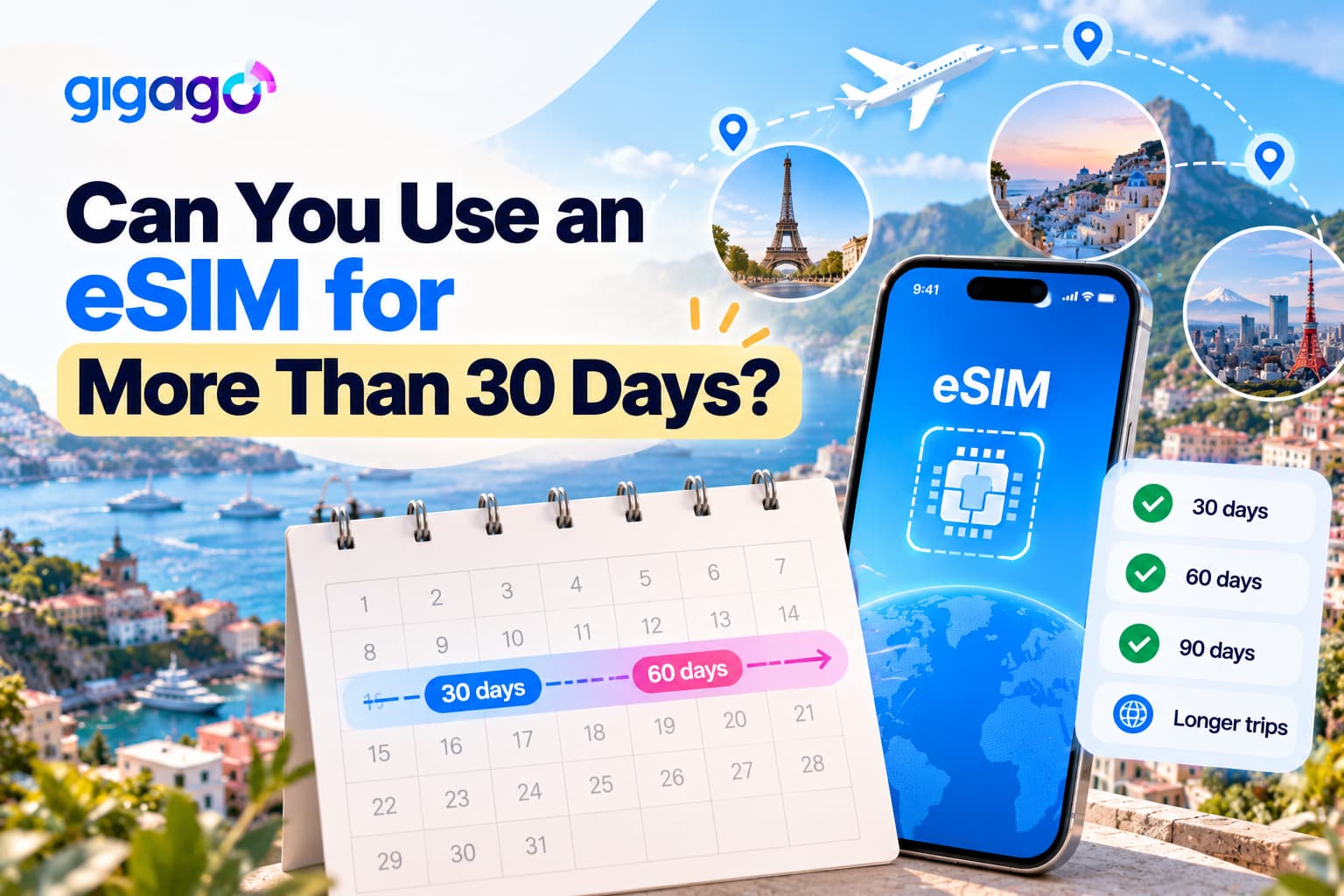
Travel eSIM plans typically offer limited validity periods, often around 30 days, and many providers require QR codes to be installed within a set period after purchase. So, can you use an eSIM for more than 30 days and stay connected on a 60- or 90-day trip without wasting data or losing connectivity?
This guide explains how to plan your eSIM coverage for a long trip, when to arrange your next plan, and how to switch plans smoothly.
In this article
Can one eSIM plan cover more than 30 days?
A single eSIM plan can only be used for its specified validity period. To stay connected beyond that period, you need another eligible plan or a supported extension option. Gigago offers plans with validity periods of up to 30 days, while some other providers may offer longer options.
It helps to separate the eSIM from the plan. The eSIM is the digital SIM profile installed on your phone, while the plan is the data and the number of days you paid for. So when an eSIM “expires”, it’s the plan that has ended.
A common mistake is turning off the eSIM line or mobile data to “save” days. Fact is, the days keep counting whether or not you use data, so switching the line off only stops you from using a plan you’ve already paid for. Our guide on pausing a travel eSIMexplains why the clock doesn’t stop.
If you’re staying in one country for several months, you can also compare travel eSIMs with local prepaid SIMs, which may offer different validity periods and data options.
How do you cover 60 or 90 days with back-to-back plans?
Split your trip into consecutive plans that match the validity periods available for your destination. For example, two 30-day plans can cover a 60-day stay, while three 30-day plans can cover a 90-day stay, provided their activation and expiry dates align with your travel dates.
While splitting your plan, remember that each block is a fresh choice, you can switch to a different plan type if your first month showed you need more or less data.
Length of stay
Suggested split
Notes
60 days
30 + 30 days
Buy the second plan a few days before day 30
75 days
30 + 30 + 15 days
A shorter last plan avoids paying for days you won’t use
90 days
30 + 30 + 30 days
Plan three purchase dates before you leave
When should you buy and install the next plan?
Buy your next eSIM plan a few days before your current plan expires, but check when the new plan starts counting its days before installing it. This gives you time to prepare without risking an early expiry or paying for overlapping days.
Before buying, keep two things in mind:
QR code expiry: Your Gigago QR code may only be valid for a limited time after purchase. Check the instructions for your plan and avoid buying too early, or the code may expire before you install it.
When validity starts: Some plans start counting from the moment you install the eSIM, while others start when it first connects to a mobile network. If your new plan starts at installation, installing it too early could waste some of your days.
For example, if you’re taking a 60-day trip and using two 30-day plans, buy the second plan a few days before the first one expires. Check its activation instructions before scanning the QR code so you know when its validity will begin.
Don’t wait until your data runs out or your plan expires to buy the next one. You’ll need an internet connection to purchase a plan and download the new eSIM.
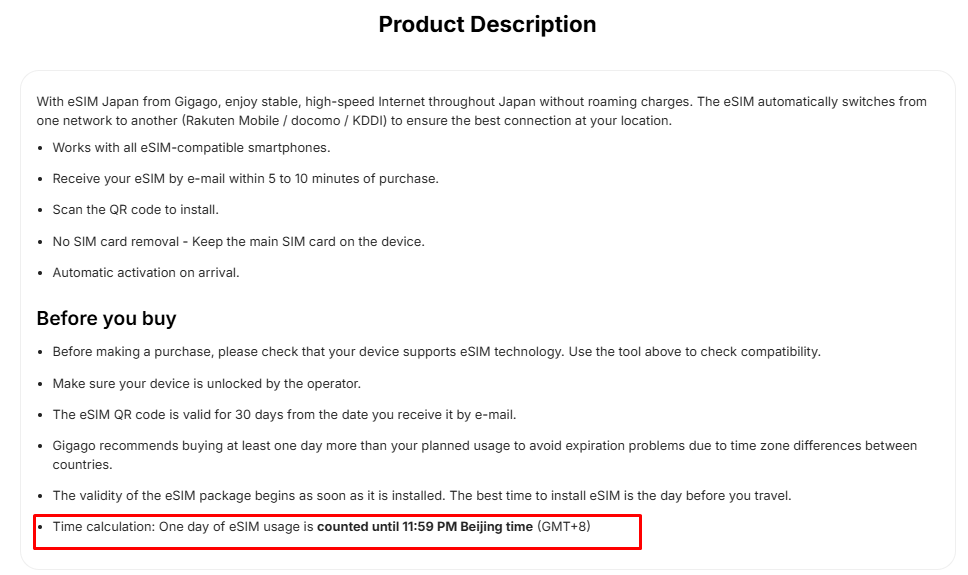
Also, check the time zone used to calculate your plan’s validity. Some plans expire at a set time in a specific time zone, rather than at midnight where you are. For example, Gigago’s Japan eSIM plans count one day stops at 11:59 PM, and start at 0:00 the next day based on Beijing time (GMT+8), so a “day” can end at a different time than you expect where you are. This could leave you with less usable time than expected. Learn more in our guide to how time zones affect eSIM validity.
For more information about when an eSIM starts and stops working, see our guide to eSIM validity.
Gigago eSIM Japan notes rule of time calculation on product page
How do you switch to the new eSIM without going offline?
Set up your new eSIM before your current plan expires, if its activation rules allow it. Once the new eSIM connects to a mobile network, select it for mobile data. This helps you avoid losing your internet connection when switching plans.
Before you start, make sure your phone supports eSIM and is not locked to a single mobile carrier. You should also check whether your phone can store and use multiple eSIM profiles.
Follow these steps:
Buy your next plan. Make sure it covers the country you’re visiting and the dates you need.
Connect to the internet. Use Wi-Fi or your current plan’s remaining data to download the new eSIM.
Install the new eSIM. Scan the QR code and follow the instructions on your phone.
On iPhone: Go to Settings > Cellular.
On Google Pixel: Go to Settings > Network & internet > SIMs.
On Samsung Galaxy: Go to Settings > Connections > SIM manager.
Menu names may vary depending on your phone model and software version.
Choose the new eSIM for mobile data. On iPhone, go to Settings > Cellular > Cellular Data and select the new line.
Turn on data roaming if needed. Some travel eSIM plans require this setting to connect to a mobile network. Follow the instructions for your plan.
Check that it works. Make sure the new eSIM connects to a supported network and that you can access the internet before relying on it.
Keep your old eSIM installed until you’ve confirmed that the new one works and you no longer need the old profile. If the new eSIM cannot connect, check your mobile data and roaming settings first, then contact Gigago support before deleting either eSIM. Some eSIM profiles cannot be reinstalled by scanning the same QR code again.
Using mobile data wisely while travelling starts with understanding where your data goes. Apps can consume data even when you are not actively using them, through automatically playing videos, background photo backups, and app updates. This guide explains how to monitor and reduce your data usage while traveling, identify data-hungry apps, and adjust your settings […]
Many travelers worry when their eSIM only shows 4G or LTE, or wonder whether they should pay attention to plans labeled 5G. For maps, messaging, ride-hailing and most video calls, 4G/LTE is usually enough, and 5G mostly helps with heavy data use when your phone, plan and local network all support it. This guide compares […]
When you buy a travel eSIM, you usually choose between a plan with a set number of gigabytes and an “unlimited” plan that costs more. If you mostly use maps, messaging and browsing, a fixed plan with some spare data is often the cheaper choice. Unlimited is worth it when you stream, share a hotspot […]
When a flight is delayed or cancelled, a reliable internet connection helps you check airline updates, find rebooking options and notify your hotel or airport transfer about changes to your arrival time. Airport Wi-Fi may be slow or unavailable when you need it, so having mobile data ready before your trip gives you another way […]
eSIM validity is the period during which your data plan remains usable. Depending on the plan, the countdown starts when you install the eSIM by scanning its QR code or when it first connects to a supported network at your destination. Your plan expires when its validity period ends or if you use up the […]
Most travelers want mobile data the moment they land, without uploading a passport or queuing to register a SIM at the airport. The good news is that many data-only travel eSIMs can be purchased online without ID verification. However, some plans, especially those with a local phone number, may require identity verification before you can […]