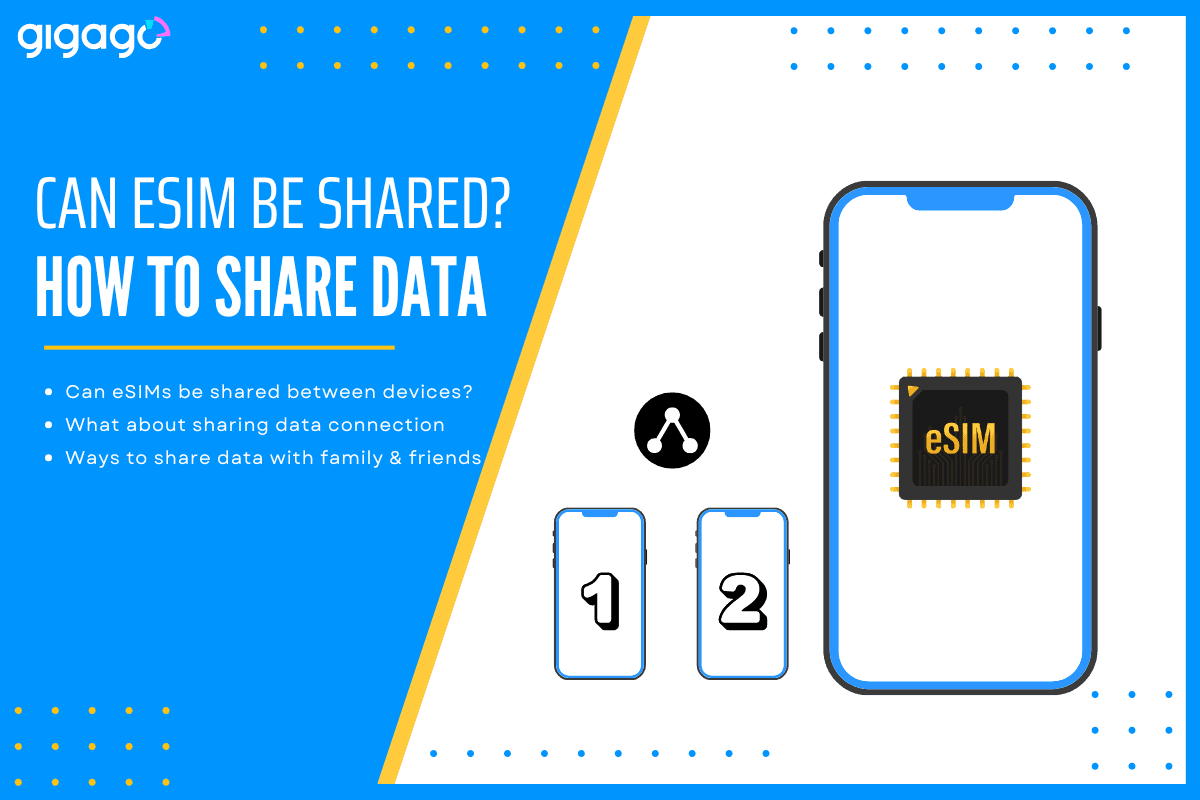
No, eSIMs can’t be shared between devices, but you can share your eSIM’s data connection by using your phone as a mobile hotspot.
Many travelers want to know if they can buy one eSIM and share connectivity with their family, friends, or secondary devices like a tablet. It’s a great question driven by the goal of saving money and simplifying data management.
Before trying to share your eSIM, it’s important to understand how it works, what is possible, and what isn’t.
In this article
I. Can eSIMs be shared between devices?
No, an eSIM profile cannot be transferred or shared between devices in the same way you would pass a physical SIM card to a friend.
Once an eSIM is activated on one device, it becomes linked to that device’s unique hardware ID and cannot be “reused” or installed on another device at the same time.
If you try to scan the same QR code on another device, the system will reject it or show an activation error. This is because:
Each QR code is for single use, meaning an eSIM profile cannot be installed multiple times.
Each eSIM profile is encrypted and connected to one device ID. By locking each eSIM to a single device, providers like Gigago ensure your plan remains private and secure — just like your credit card number.
Reinstalling it elsewhere would conflict with eSIM security policies.
If you want to use an eSIM on another smartphone or tablet, you’ll usually need to buy a separate eSIM plan for that device.
II. What about sharing the data connection from one eSIM to another device?
While you can’t transfer or install your eSIM on multiple devices, you can share your data connection through a hotspot.
Hotspotting is highly effective, but it comes with a few necessary trade-offs you must manage:
Hotspot use may increase data consumption.
The battery drains faster when using hotspot mode for long hours.
The shared Wi-Fi signal is limited, usually to about 5 to 10 meters. Your group must stay relatively close to the host device to remain connected.
Note that some network providers limit tethering, so check your eSIM plan’s details before purchase.
In short, your eSIM’s internet connection can be shared, but the eSIM profile itself cannot.
III. 3 ways to share data with family and friends with an eSIM
If you’re traveling with friends or family and want everyone to have connectivity, there are better alternatives than trying to share one eSIM.
Buy individual eSIMs for each person. Choose the suitable eSIM for each, you can quickly purchase on Gigago.com and send QR codes via email to each traveler.
Use regional or group plans: Some eSIM providers, like Gigago, offer regional bundles where each traveler installs their own eSIM but gets access to the same carrier network.
Set up a mobile hotspot: You can use your phone as a hotspot for others if everyone stays close and the data plan allows it.
Gigago offers data plans in over 200 countries and territories, so you can easily find one that fits your travel needs. Whether you’re exploring one destination or hopping across regions, Gigago’s regional and global plans keep you seamlessly connected everywhere you go. Data plans start from just $1.50/GB, giving you flexible, affordable options for any trip length.
The networks Gigago partners with for each plan are clearly listed on the website, so you can check which local carriers are supported before purchasing. Data sharing and hotspot use are supported on most Gigago eSIM plans, so you can stay online across all your devices with ease.
Gigago also offers 24/7 multilingual customer support — ready to assist you anytime, anywhere in the world. So, if you ever have an issue activating or using your eSIM, rest assured that help is always just a message away.
When you’re traveling abroad, staying connected is essential. You need reliable internet for maps, language translation, ride-hailing apps, or staying in touch with family and friends. But, what speed should you actually expect when traveling abroad? Let’s break down what “normal” mobile internet speed looks like, why it matters, how to test your connection, and […]
When traveling to Thailand, staying connected is essential. Whether you’re navigating Bangkok’s lively streets, sharing beach photos from Phuket, or working remotely from Chiang Mai, you’ll need reliable internet. For Australian travelers, two popular options come to mind: But which gives better value, speed, and convenience? Let’s break it down. I. What is Optus International […]
If you are a Verizon customer, one big question probably comes to mind: “Should I just use Verizon’s $12/day Travel Pass, or try a local Vietnam eSIM?” At first glance, Verizon roaming with International Travel Pass sounds convenient — no SIM change, no setup hassle. But at $12 per day, is it really the best […]
When you shop for a travel eSIM or glance at your phone’s status bar, you will often see your phone show network types like “LTE”, “4G”, or sometimes even “5G”. Most people just assume it means “fast internet” and move on – which is fair enough, but there’s a bit more to it than that. […]
In today’s connected world, mobile number is more than just a way to call or text – it’s also a key to accessing important accounts like banking, email, and social media. Unfortunately, that makes it a valuable target for cybercriminals. One increasingly common threat is SIM swap fraud and for international travelers, understanding it is […]
A Beijing layover is a great chance to explore, but China’s “Great Firewall” makes staying connected tricky. Without the right plan, you’ll likely find blocked access to essential apps like Google Maps, WhatsApp, and even your banking tools. Whether you have a few hours or a full day, choosing the right connectivity option is key. […]