One of the most common questions travelers have before using an eSIM is “Does time zone affect your travel eSIM’s validity period?” whether changing time zones will shorten their data plan. If you buy a 7-day eSIM, fly across multiple countries, or cross the International Date Line, it’s natural to wonder whether changing time zone will shorten your data plan.
The short answer is: time zones don’t automatically reduce your travel eSIM’s validity. What matters is how your specific eSIM plan starts counting its validity period, whether from installation, activation, or another trigger defined by your provider.
Understanding this difference can help you avoid activating your eSIM too early and make sure you get the full value of your plan.
In this article
Does time zone actually affect eSIM validity?
No. In most cases, changing your phone’s time zone doesn’t directly change how many days your eSIM lasts. Simply moving from one country to another or having your phone automatically adjust its clock doesn’t usually shorten your plan.
Instead, your eSIM’s validity depends on when the countdown begins according to the provider’s activation policy. Different plans may start counting at different moments, which is why two travelers with the same trip could have different expiration times if they activate their eSIM differently.
Instead, your eSIM’s validity depends on when the countdown begins according to the provider’s activation policy. Different plans may start counting at different moments, which is why two travelers with the same trip could have different expiration times if they activate their eSIM differently.
Here’s a quick breakdown of some common misconceptions.
Myth
Fact
Flying east makes a 7-day eSIM become 6 days.
False. Changing time zones alone doesn’t automatically remove a day.
Installing an eSIM always starts the countdown.
Not always. Some plans begin counting at installation, while others use a different activation trigger.
Crossing the International Date Line gives extra validity.
Usually not. The calendar changes, but your eSIM’s validity typically follows the provider’s activation rules.
The key takeaway is simple: focus on your plan’s activation rules rather than the clock on your phone.
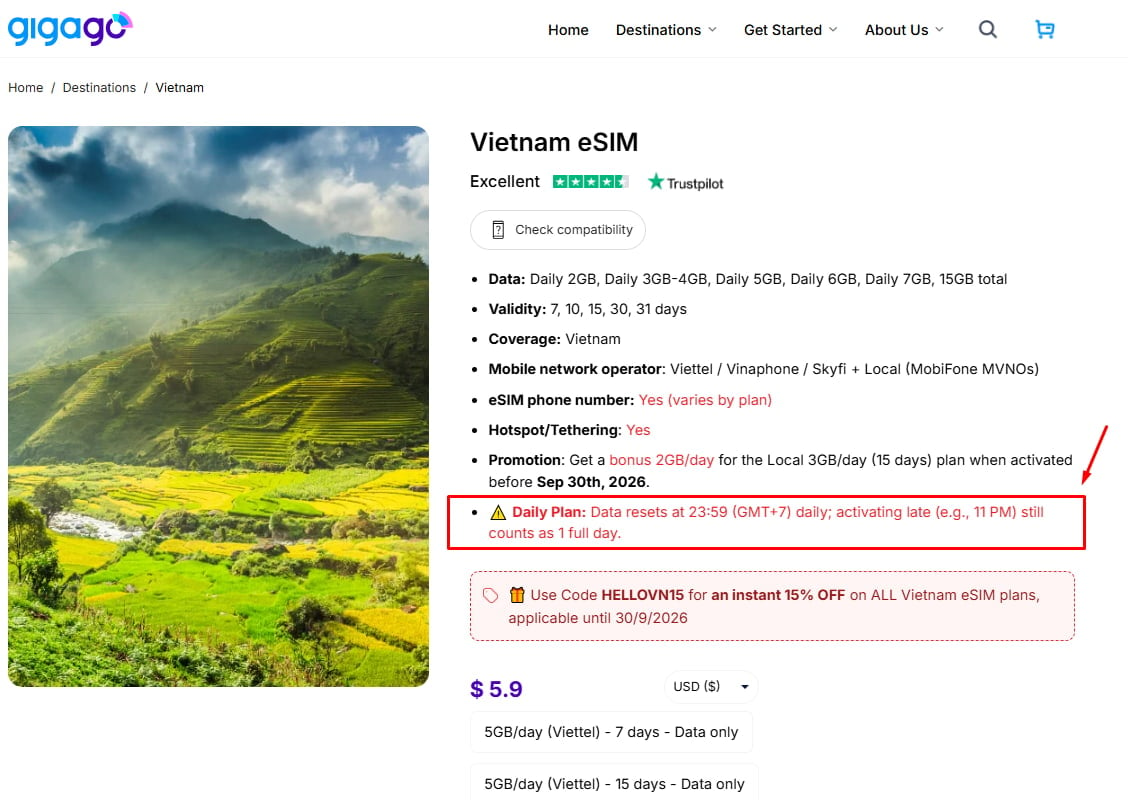
Gigago’s Vietnam eSIM validity starts as soon as you install it, with time calculated in GMT+7.
How is travel eSIM validity actually counted?
Not every travel eSIM uses the same countdown method. The biggest factor isn’t the time zone—it’s what triggers the validity period.
1. Purchase-based validity
Some providers begin counting as soon as you complete your purchase.
With this model:
Your validity starts immediately.
Installing later doesn’t pause the countdown.
Buying too early could reduce your available days before your trip even begins.
This model is less common for travel eSIMs but still exists.
2. Installation-based validity
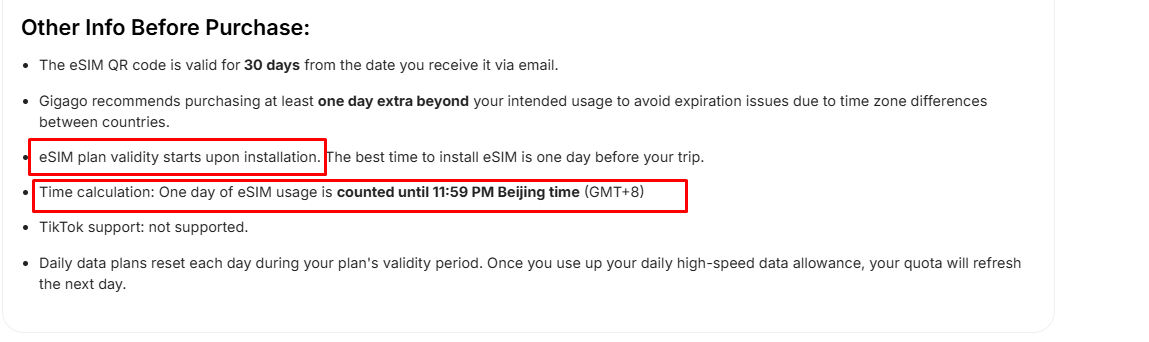
Some eSIM plans begin counting after the eSIM is successfully installed on your device.
With this model:
Installing several days before departure may start your validity earlier than expected.
Waiting until closer to your trip can help you use the full duration.
Some Gigago plans follow this installation-based approach, so it’s worth checking the instructions for your specific plan.
Other plans don’t start counting until an activation event occurs, such as receiving an activation SMS or completing the provider’s activation process.
For example, some Gigago plans—including certain GIGA series plans—use this type of activation workflow according to Gigago’s Help Center.
This means:
Buying early doesn’t necessarily reduce your validity.
Installing alone may not start the countdown.
The activation event is what matters.
Comparison of common validity models
Trigger
When the countdown starts
Time-zone concern
Purchase
Immediately after purchase
Low
Installation
After installation
Moderate if installed too early
SMS or activation
After activation
Low
Because different plans work differently, always check the activation instructions on your specific Gigago product page or Help Center article before traveling.
Is validity counted in UTC, your home time zone, or your destination’s local time?
This is where many travelers expect a simple answer, but most travel eSIM providers don’t publicly explain the exact timekeeping method they use.
Some providers may rely on server-side timing, while others may calculate validity according to their own internal systems. Public documentation often focuses on when a plan becomes active, not whether the countdown follows UTC, your home time zone, or your destination’s local time.
Gigago’s public documentation similarly explains activation triggers for different plans rather than publishing a single universal time-zone counting standard across all products.
Instead of assuming every plan works the same way, it’s safer to:
read the activation policy on your product page,
check the QR email instructions,
or contact support if your expiration time is critical.
Best practice recommended by Gigago:
If you’re unsure which activation model your plan uses:
install your eSIM when the provider recommends,
avoid activating earlier than necessary,
and verify the activation instructions before departure.
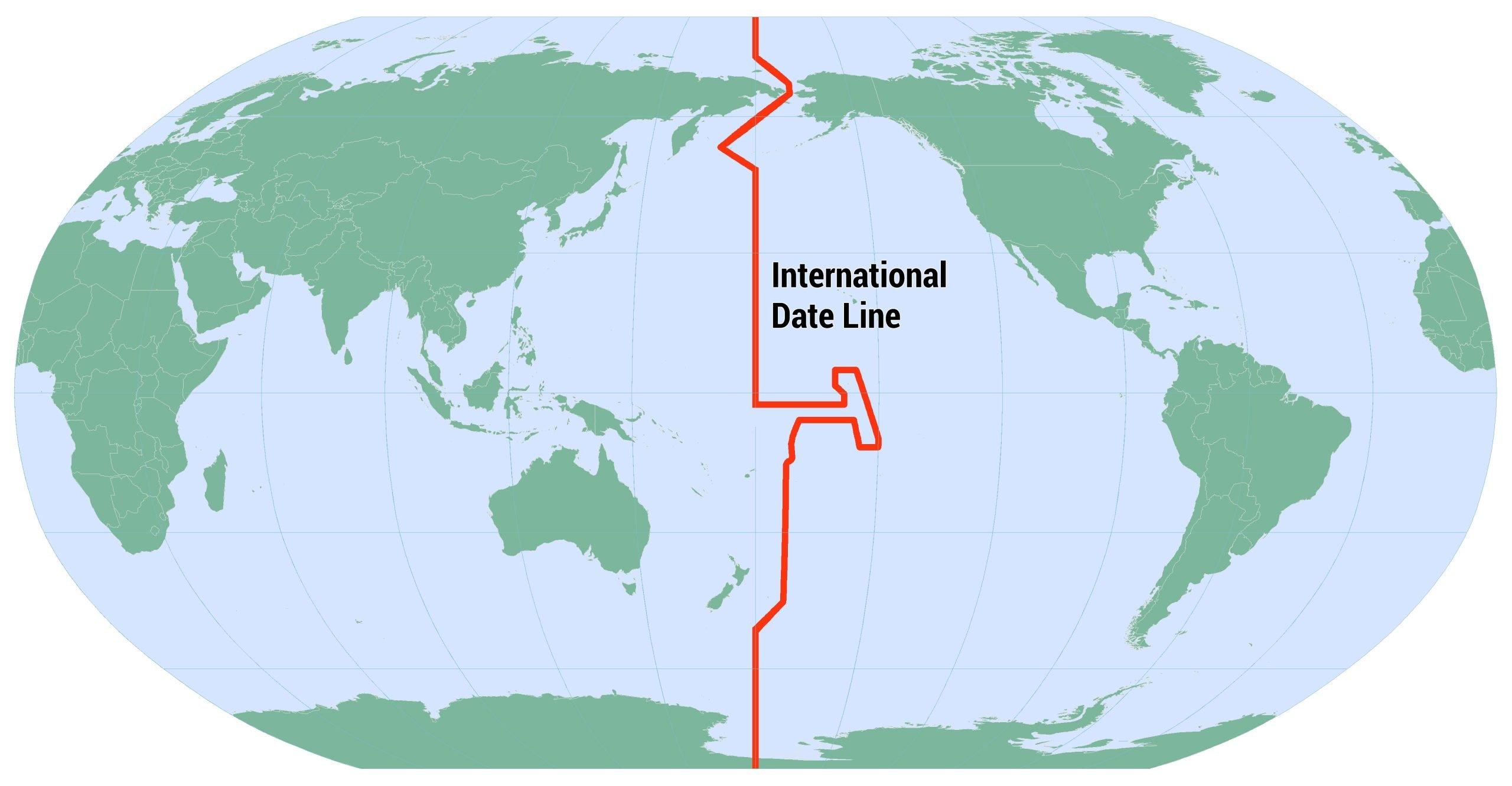
Does crossing the International Date Line change your eSIM days?
Crossing the International Date Line can make it feel like you’ve lost or gained an entire day.
For example:
flying west may cause the calendar to repeat a date,
while flying east may skip a calendar day.
This can make travelers wonder whether their eSIM validity changes too.
In most cases, the calendar shift itself doesn’t automatically change your eSIM’s remaining days. Your phone’s displayed date and your provider’s validity calculation aren’t necessarily the same thing.
However, if a provider uses a calendar-day-based validity model rather than a rolling duration, it’s worth checking that plan’s specific terms because providers don’t all publish the same counting method.
The safest assumption is this: The International Date Line changes your local calendar, not necessarily your eSIM validity.
International date line
Will visiting multiple time zones make your eSIM expire faster?
For most multi-country trips, the answer is no.
Whether you’re traveling through:
several European countries,
multiple Southeast Asian destinations,
or a route like USA → Japan → Korea,
moving between time zones doesn’t normally make your eSIM days disappear faster by itself.
The countdown generally continues according to your plan’s activation rules, regardless of how many times your phone updates its local clock.
The main exception is if your specific plan uses a fixed calendar-day model, which is why checking the plan’s terms remains important.
How to avoid time-zone surprises with your travel eSIM
A few simple habits can help you avoid confusion and get the full value of your plan.
Before your trip:
Check when your specific plan starts counting.
Read the activation instructions in your QR email.
Install the eSIM according to the provider’s recommendation.
During your trip:
Activate only when appropriate for your plan.
Keep your QR code until your trip ends.
Save your activation time if you need to track expiration.
Contact support if you’re unsure about your remaining validity.
These small steps are much more important than worrying about changing time zones.
Frequently asked questions
Does eSIM validity start when I buy it?
It depends on the plan. Some eSIMs start counting after purchase, while others begin after installation or another activation event.
Should I activate my eSIM before departure or after landing?
Follow the instructions for your specific plan. If you’re unsure, avoid activating earlier than necessary until you’ve confirmed the activation policy.
Does my eSIM reset at midnight?
Not necessarily. Many travel eSIMs don’t simply reset at local midnight, and providers may use different methods for calculating validity.
Can changing my phone’s time zone change my expiry?
In most cases, no. Changing your phone’s displayed time zone doesn’t automatically change your eSIM’s expiration.
Will crossing the International Date Line give me an extra day?
Usually not. The calendar may change dramatically, but your eSIM’s validity typically continues according to your provider’s activation rules.
Final words
Time zones are one of the biggest sources of confusion for travel eSIM users, but they’re rarely the real reason a plan expires earlier than expected. The factor that matters most is how your specific eSIM plan defines the start of its validity period.
Before traveling, take a moment to check whether your Gigago plan begins counting from installation, activation, or another trigger. Knowing that small detail can help you avoid unnecessary surprises and enjoy your full eSIM validity wherever your journey takes you.
The iPhone 18 Pro and iPhone 18 Pro Max are eSIM-only in 12 countries and regions, including the United States, Canada, Japan, and Mexico. Models sold in many other markets, including Europe, the UK, Australia and most of Asia still have a physical nano-SIM tray alongside eSIM support. If you’re traveling internationally with an eSIM-only […]
Short answer: No, if you are visiting multiple countries on a single trip, you do not need to buy a separate SIM card for every border you cross. By installing one regional or global eSIM before you depart, your phone automatically switches to a supported local network as soon as you arrive in a new […]
The 2026 FIFA World Cup runs from June 11 to July 19 — and it’s the most logistically complex tournament in football history. 48 teams. 104 matches. 16 cities. 3 countries. 39 days. If you’re flying in from overseas, this isn’t a weekend trip. It’s a multi-country expedition that punishes poor planning and rewards fans […]
The Da Nang International Fireworks Festival (DIFF) 2026, themed “United Horizons”, will transform the Han River into a world-class stage from May 30 to July 11, 2026. Featuring 10 elite teams, this 6-night festival is more than just a show—it’s a city-wide celebration. It just made Travel + Leisure’s Top 9 Must-Experience Festivals on the […]
Google Maps is widely used globally for navigation and location-based services, but in China it is blocked. For years, the “Great Firewall” has made navigating China a puzzle for Western tourists. While the digital landscape in China is unique, you don’t have to navigate it blind. This article will answer the questions: Does Google Maps […]
With the release of iOS 18, many travelers are wondering: “Does iOS 18 support eSIM?” or “Will the new update affect my travel connectivity?” This guide provides everything you need to know about using eSIM on the latest Apple operating system for a seamless international journey. I. Does iOS 18 Support eSIM? YES. Apple still […]